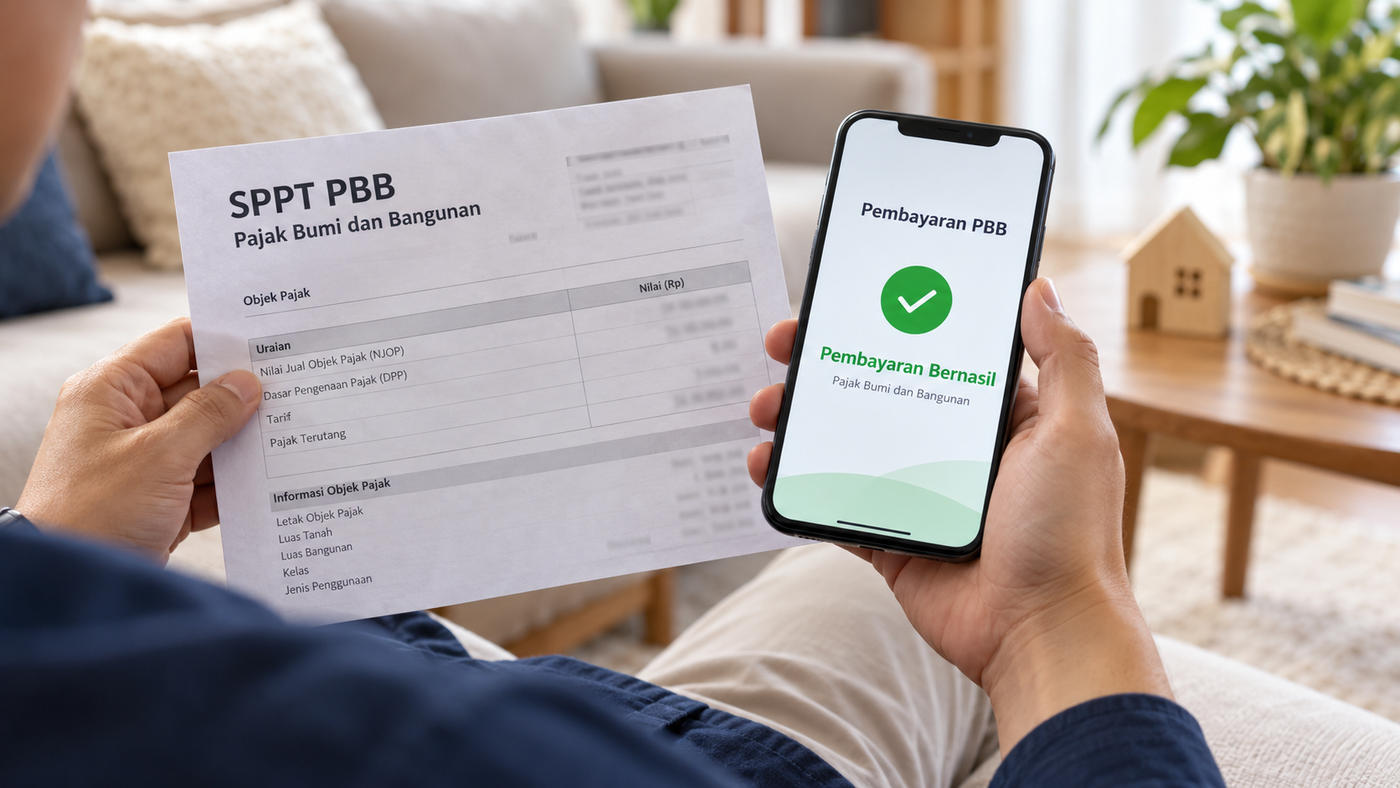
Every year, owners of houses and land must pay Land and Building Tax (PBB). The good news is that Bekasi residents can now check their bill, download the tax notice (SPPT), and pay PBB online without visiting the regional tax office.
What often confuses people is that Bekasi City and Bekasi Regency have different PBB services. This article explains how to check and pay PBB online in both, plus what to watch out for.
PBB is managed by the regional government, so the service you use depends on where the property is:
Bekasi City includes districts such as Bekasi Barat, Bekasi Timur, Bekasi Utara, Bekasi Selatan, Medan Satria, Rawalumbu, Jatiasih, and others.
Bekasi Regency includes districts such as Tambun Selatan, Tambun Utara, Tarumajaya, Babelan, Cikarang, and others.
The easiest way to confirm is to check last year's SPPT PBB, which states the property's region. Note that some areas, such as Kota Harapan Indah, span both regions, so each unit should be checked against its own SPPT.
Almost every online PBB service uses the Tax Object Number (NOP), an 18-digit identification number for the property. The NOP is printed on the SPPT PBB. Keep it handy, as you will need it for both checking and paying.
The Bekasi City Revenue Agency (Bapenda) provides a PBB Online service at e-pbb.bekasikota.go.id.
1. Open e-pbb.bekasikota.go.id.
2. If you do not have an account, choose registration. Enter your NIK, full name, phone number, email, password, and upload a photo of your ID card.
3. Log in with your NIK or family card number and password.
4. Enter your NOP to see the bill and download the SPPT.
Besides the website, Bekasi City residents can also use the iPBB Bekasi Kota app on Google Play Store.
For properties in Bekasi Regency, the regency government provides the iPBB Kab. Bekasi app on Google Play Store.
1. Download and install the iPBB Kab. Bekasi app.
2. Open the app and choose the bill or SPPT search menu.
3. Enter your 18-digit NOP without spaces or punctuation.
4. The app will show the PBB assessment and the amount due.
Once you know the amount, PBB for both Bekasi City and Bekasi Regency can be paid through several channels, including:
Mobile and internet banking, for example through the regional tax payment menu, including at Bank BJB.
Minimarkets, such as Indomaret and Alfamart, by giving the cashier your NOP.
The post office.
E-commerce and payment apps with a PBB menu, selecting Bekasi City or Bekasi Regency according to the property's location.
Make sure you choose the correct region and keep the receipt once payment succeeds.
Note the due date printed on the SPPT. Late payment may incur administrative penalties under regional regulations.
Use only official websites and apps. Be wary of links or messages asking you to pay PBB into a personal account.
Keep your PBB receipts every year. They are needed when buying or selling, transferring a title, or applying for a mortgage.
Check that the data is correct, including land area, building area, and taxpayer name. If anything is wrong, request a correction from the local Bapenda.
Proof of PBB payment is also an important document when buying or selling a home. Details are in Land Title Transfer Costs 2026 and How to Check a Land Certificate's Authenticity.
If you are looking for a home in Bekasi, an overview of areas in Bekasi City and Bekasi Regency is available in Housing Options in Bekasi.
How do I check PBB online in Bekasi City?
Through Bapenda Kota Bekasi's PBB Online site at e-pbb.bekasikota.go.id or the iPBB Bekasi Kota app, using your NOP.
How do I check PBB online in Bekasi Regency?
Through the iPBB Kab. Bekasi app on Google Play Store by entering your 18-digit NOP.
Where can I pay PBB in Bekasi?
Through mobile banking, minimarkets such as Indomaret and Alfamart, the post office, and e-commerce or payment apps with a PBB menu.
What is an NOP?
The Tax Object Number, an 18-digit property identification number printed on the SPPT PBB.
What if I have lost my SPPT PBB?
You can download it through the online service for your region, or ask the local Bapenda directly.
This article is general information. Website addresses, app features, and payment channels may change according to regional government policy.
For more information about Damai Putra Group homes in Bekasi, contact the Damai Putra Group Marketing Gallery via WhatsApp Official 0811 4466 888 or visit www.damaiputra.com.
What often confuses people is that Bekasi City and Bekasi Regency have different PBB services. This article explains how to check and pay PBB online in both, plus what to watch out for.
First: Is Your Home in Bekasi City or Bekasi Regency?
PBB is managed by the regional government, so the service you use depends on where the property is:
Bekasi City includes districts such as Bekasi Barat, Bekasi Timur, Bekasi Utara, Bekasi Selatan, Medan Satria, Rawalumbu, Jatiasih, and others.
Bekasi Regency includes districts such as Tambun Selatan, Tambun Utara, Tarumajaya, Babelan, Cikarang, and others.
The easiest way to confirm is to check last year's SPPT PBB, which states the property's region. Note that some areas, such as Kota Harapan Indah, span both regions, so each unit should be checked against its own SPPT.
Have Your Tax Object Number (NOP) Ready
Almost every online PBB service uses the Tax Object Number (NOP), an 18-digit identification number for the property. The NOP is printed on the SPPT PBB. Keep it handy, as you will need it for both checking and paying.
How to Check PBB Online in Bekasi City
The Bekasi City Revenue Agency (Bapenda) provides a PBB Online service at e-pbb.bekasikota.go.id.
1. Open e-pbb.bekasikota.go.id.
2. If you do not have an account, choose registration. Enter your NIK, full name, phone number, email, password, and upload a photo of your ID card.
3. Log in with your NIK or family card number and password.
4. Enter your NOP to see the bill and download the SPPT.
Besides the website, Bekasi City residents can also use the iPBB Bekasi Kota app on Google Play Store.
How to Check PBB Online in Bekasi Regency
For properties in Bekasi Regency, the regency government provides the iPBB Kab. Bekasi app on Google Play Store.
1. Download and install the iPBB Kab. Bekasi app.
2. Open the app and choose the bill or SPPT search menu.
3. Enter your 18-digit NOP without spaces or punctuation.
4. The app will show the PBB assessment and the amount due.
How to Pay PBB Online
Once you know the amount, PBB for both Bekasi City and Bekasi Regency can be paid through several channels, including:
Mobile and internet banking, for example through the regional tax payment menu, including at Bank BJB.
Minimarkets, such as Indomaret and Alfamart, by giving the cashier your NOP.
The post office.
E-commerce and payment apps with a PBB menu, selecting Bekasi City or Bekasi Regency according to the property's location.
Make sure you choose the correct region and keep the receipt once payment succeeds.
Things to Keep in Mind
Note the due date printed on the SPPT. Late payment may incur administrative penalties under regional regulations.
Use only official websites and apps. Be wary of links or messages asking you to pay PBB into a personal account.
Keep your PBB receipts every year. They are needed when buying or selling, transferring a title, or applying for a mortgage.
Check that the data is correct, including land area, building area, and taxpayer name. If anything is wrong, request a correction from the local Bapenda.
Proof of PBB payment is also an important document when buying or selling a home. Details are in Land Title Transfer Costs 2026 and How to Check a Land Certificate's Authenticity.
If you are looking for a home in Bekasi, an overview of areas in Bekasi City and Bekasi Regency is available in Housing Options in Bekasi.
Frequently Asked Questions
How do I check PBB online in Bekasi City?
Through Bapenda Kota Bekasi's PBB Online site at e-pbb.bekasikota.go.id or the iPBB Bekasi Kota app, using your NOP.
How do I check PBB online in Bekasi Regency?
Through the iPBB Kab. Bekasi app on Google Play Store by entering your 18-digit NOP.
Where can I pay PBB in Bekasi?
Through mobile banking, minimarkets such as Indomaret and Alfamart, the post office, and e-commerce or payment apps with a PBB menu.
What is an NOP?
The Tax Object Number, an 18-digit property identification number printed on the SPPT PBB.
What if I have lost my SPPT PBB?
You can download it through the online service for your region, or ask the local Bapenda directly.
This article is general information. Website addresses, app features, and payment channels may change according to regional government policy.
For more information about Damai Putra Group homes in Bekasi, contact the Damai Putra Group Marketing Gallery via WhatsApp Official 0811 4466 888 or visit www.damaiputra.com.