The term smart home often sounds high-tech and expensive. Yet many smart devices are now easy to find and can be added step by step, from digital door locks to lights you can switch on from your phone.
This article explains what a smart home is, the most useful devices for a landed house, the pros and cons of smart door locks, and tips for getting started safely.
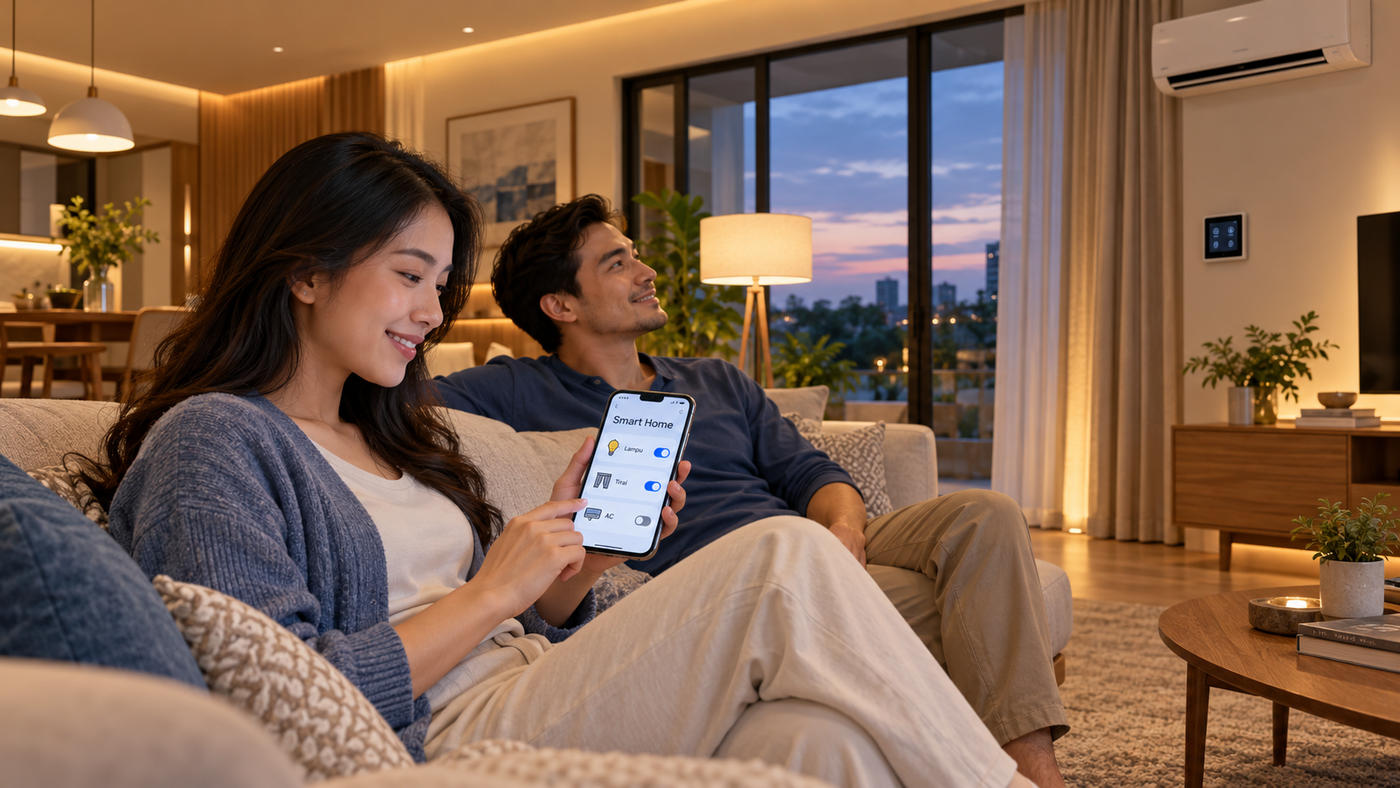
A smart home is a home whose devices can be controlled or monitored automatically and remotely, usually through a phone app. Examples include locking the door without a physical key, checking your home camera from the office, or setting lights to switch on automatically at night.
The goal is simple: to make a home safer, more convenient, and help save energy.
1. Smart door lock. A lock that opens with a fingerprint, PIN, card, or app. No more worrying about forgetting your keys.
2. CCTV or smart camera. Monitor your home from your phone, record events, and in some models receive alerts when motion is detected.
3. Smart lights. Schedule them, switch them on remotely, or dim them. Useful so the house does not look empty when you are away.
4. Smart plug. Lets ordinary appliances, such as a fan or rice cooker, be switched on and off from an app or on a schedule.
5. Sensors. Such as door and window sensors, motion sensors, or smoke detectors that send alerts to your phone.
6. Video doorbell. See and talk to guests or couriers even when you are not home.
A smart door lock is often the first smart home device many families own.
Pros:
No physical key to carry, reducing the risk of lost or forgotten keys.
Each family member can have their own PIN or fingerprint.
Some models log who opened the door and when.
Temporary access can be given to guests or household help and revoked at any time.
Points to note:
Batteries. Most smart door locks run on batteries. Watch for low-battery warnings and replace them on time.
Emergency access. Know how to open the door if the battery runs out, for example with a backup mechanical key or the emergency power port available on many models. Keep the backup key somewhere safe.
PIN security. Change the default PIN, avoid easy-to-guess combinations, and change it regularly.
Maintenance. Clean the fingerprint sensor regularly so it stays responsive.
1. Start with your main needs. For most families, security comes first, so a smart door lock and CCTV are a sensible starting point.
2. Make sure your internet is stable. Cameras and smart devices need Wi-Fi that covers the whole house. Many smart home devices only support 2.4 GHz networks, so check the specifications before buying.
3. Choose one ecosystem. Aim for devices you can control from a single app to keep things simple.
4. Add devices gradually. Once you are comfortable, move on to smart lights, smart plugs, or sensors.
5. Involve the whole family. Make sure everyone at home knows how to use the devices, including older family members.
Smart home devices are connected to the internet, so their security needs attention too:
Change default passwords on devices and apps, and use strong passwords.
Turn on two-step verification if the app offers it.
Update firmware and apps regularly.
Position cameras to focus on your own property and not on your neighbours' private areas.
Choose reputable brands with after-sales support in Indonesia.
When buying a new home, basic smart home devices are increasingly included from handover. In Kota Harapan Indah, Bekasi, several of Damai Putra Group's newest clusters come with a smart door lock and CCTV in every home, including:
The New Hoshi, Japanese-inspired two-storey homes in Types H6 and H7.
CRESTA, a lakeside cluster with Lebar 5, Lebar 6, and Lebar 7 types.
With basic security devices already in place, residents can add other devices as needed. An overview of the area's facilities is in Kota Harapan Indah Facilities, and the benefits of cluster living are covered in Housing Clusters.
What is a smart home?
A home whose devices can be controlled or monitored automatically and remotely, usually through a phone app.
Which smart home device should I buy first?
For most families, a smart door lock and CCTV, as they directly improve home security.
What if the smart door lock battery runs out?
Many models offer a backup mechanical key or an emergency power port. Replace the batteries when the low-battery warning appears.
Does a smart home need internet?
Some functions, such as remote control and alerts, need internet. Basic functions such as opening a smart door lock with a fingerprint or PIN generally still work offline.
Is a smart home safe from hacking?
The risk can be reduced with strong passwords, two-step verification, regular firmware updates, and reputable brands.
For more information about The New Hoshi and CRESTA in Kota Harapan Indah, contact the Damai Putra Group Marketing Gallery via WhatsApp Official 0811 4466 888 or visit www.damaiputra.com.
This article explains what a smart home is, the most useful devices for a landed house, the pros and cons of smart door locks, and tips for getting started safely.
What Is a Smart Home?
A smart home is a home whose devices can be controlled or monitored automatically and remotely, usually through a phone app. Examples include locking the door without a physical key, checking your home camera from the office, or setting lights to switch on automatically at night.
The goal is simple: to make a home safer, more convenient, and help save energy.
The Most Useful Smart Home Devices
1. Smart door lock. A lock that opens with a fingerprint, PIN, card, or app. No more worrying about forgetting your keys.
2. CCTV or smart camera. Monitor your home from your phone, record events, and in some models receive alerts when motion is detected.
3. Smart lights. Schedule them, switch them on remotely, or dim them. Useful so the house does not look empty when you are away.
4. Smart plug. Lets ordinary appliances, such as a fan or rice cooker, be switched on and off from an app or on a schedule.
5. Sensors. Such as door and window sensors, motion sensors, or smoke detectors that send alerts to your phone.
6. Video doorbell. See and talk to guests or couriers even when you are not home.
Smart Door Locks: Pros and Points to Note
A smart door lock is often the first smart home device many families own.
Pros:
No physical key to carry, reducing the risk of lost or forgotten keys.
Each family member can have their own PIN or fingerprint.
Some models log who opened the door and when.
Temporary access can be given to guests or household help and revoked at any time.
Points to note:
Batteries. Most smart door locks run on batteries. Watch for low-battery warnings and replace them on time.
Emergency access. Know how to open the door if the battery runs out, for example with a backup mechanical key or the emergency power port available on many models. Keep the backup key somewhere safe.
PIN security. Change the default PIN, avoid easy-to-guess combinations, and change it regularly.
Maintenance. Clean the fingerprint sensor regularly so it stays responsive.
Tips for Starting a Smart Home Step by Step
1. Start with your main needs. For most families, security comes first, so a smart door lock and CCTV are a sensible starting point.
2. Make sure your internet is stable. Cameras and smart devices need Wi-Fi that covers the whole house. Many smart home devices only support 2.4 GHz networks, so check the specifications before buying.
3. Choose one ecosystem. Aim for devices you can control from a single app to keep things simple.
4. Add devices gradually. Once you are comfortable, move on to smart lights, smart plugs, or sensors.
5. Involve the whole family. Make sure everyone at home knows how to use the devices, including older family members.
Data Security and Privacy
Smart home devices are connected to the internet, so their security needs attention too:
Change default passwords on devices and apps, and use strong passwords.
Turn on two-step verification if the app offers it.
Update firmware and apps regularly.
Position cameras to focus on your own property and not on your neighbours' private areas.
Choose reputable brands with after-sales support in Indonesia.
New Homes with Smart Door Locks and CCTV
When buying a new home, basic smart home devices are increasingly included from handover. In Kota Harapan Indah, Bekasi, several of Damai Putra Group's newest clusters come with a smart door lock and CCTV in every home, including:
The New Hoshi, Japanese-inspired two-storey homes in Types H6 and H7.
CRESTA, a lakeside cluster with Lebar 5, Lebar 6, and Lebar 7 types.
With basic security devices already in place, residents can add other devices as needed. An overview of the area's facilities is in Kota Harapan Indah Facilities, and the benefits of cluster living are covered in Housing Clusters.
Frequently Asked Questions
What is a smart home?
A home whose devices can be controlled or monitored automatically and remotely, usually through a phone app.
Which smart home device should I buy first?
For most families, a smart door lock and CCTV, as they directly improve home security.
What if the smart door lock battery runs out?
Many models offer a backup mechanical key or an emergency power port. Replace the batteries when the low-battery warning appears.
Does a smart home need internet?
Some functions, such as remote control and alerts, need internet. Basic functions such as opening a smart door lock with a fingerprint or PIN generally still work offline.
Is a smart home safe from hacking?
The risk can be reduced with strong passwords, two-step verification, regular firmware updates, and reputable brands.
For more information about The New Hoshi and CRESTA in Kota Harapan Indah, contact the Damai Putra Group Marketing Gallery via WhatsApp Official 0811 4466 888 or visit www.damaiputra.com.